Home > SymbolTablePlugin > Symbol References
Symbol References
Displays a table of reference-related information. When a symbol is selected in the Symbol Table, the Symbol References table updates to display the reference information for that symbol. The type of references displayed is controlled by the three toggle buttons in the toolbar: *References To*,*Instructions From*, and *Data From*.
Displaying the Symbol References component
- From the menu-bar of a tool, select Window→ Symbol References…
- From the tool-bar of a tool, click on the
 button
References To  

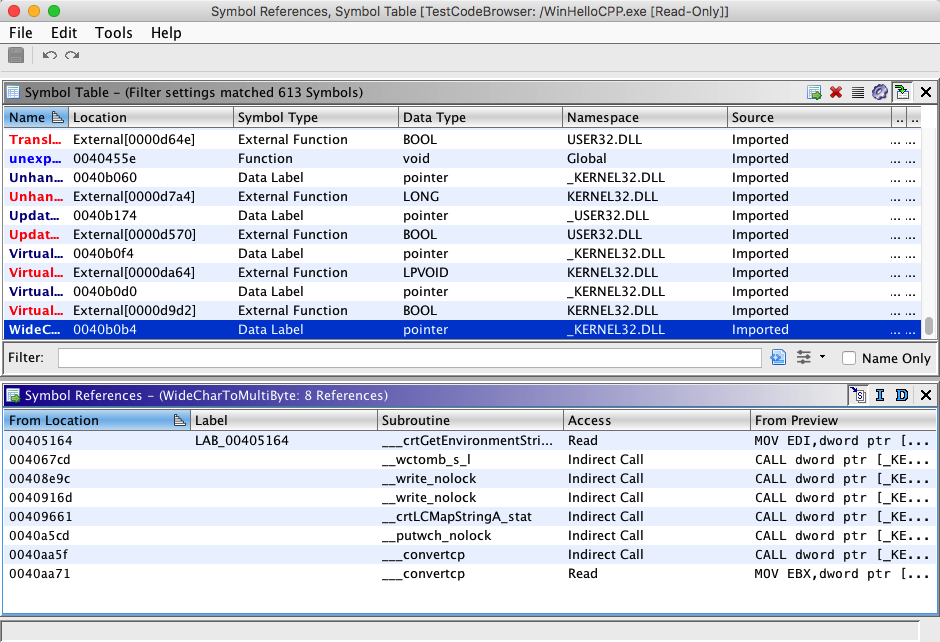
Displays all references to the selected symbol. If the number of references to
the symbol is less than the total number of references to the address, then the "References
To" label above the References table would show "*<symbol reference count>*
of *<total reference count>*". The following data columns are
displayed in the Symbol References table:
*Address-* the address which corresponds to the code unit which references the selected symbol. Clicking on this address will generate a location event and cause the tool (e.g., Code Browser) to re-position to this address.
*Label -* displays the name of the primary symbol at the from address of the reference to the selected symbol. Clicking on this name will generate a location event and cause the tool (e.g., Code Browser) to re-position to the corresponding label.
*Subroutine* - displays the name of the subroutine/function containing the from address of the reference to the selected symbol. Clicking on this name will generate a location event and cause the tool (e.g., Code Browser) to re-position to the corresponding subroutine/function.
*Access -* indicates the type of reference. This column will display one of the following:
RW - read/write data access
Read - read-only data access
Write - write-only data access
Data - general data access
Branch - conditional jump
Jump - unconditional jump
Call - subroutine/function call
Unknown - all other reference types
*Preview -* preview of the instruction or data located at Address which is the source of the reference.
Instructions From  

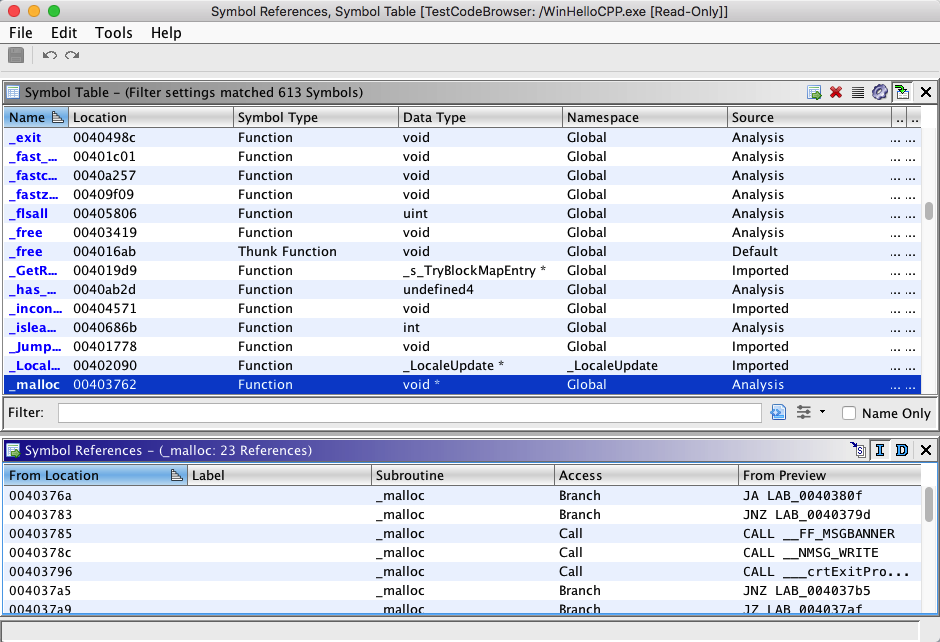
If the selected symbol corresponds to an entry point of a subroutine or function, all instruction references from the corresponding subroutine/function will be displayed. If the selected symbol is not a subroutine/function entry point, the list will be empty. The following data columns are displayed in the References table:
*Address -* the address which corresponds to the instruction within the subroutine/function which is the source of the reference. Clicking on this address will generate a location event and cause the tool (e.g., Code Browser) to re-position to this address.
*Label -* displays the name of the primary symbol at the from address of the reference to the selected symbol. Clicking on this name will generate a location event and cause the tool (e.g., Code Browser) to re-position to the corresponding label.
*Subroutine* - displays the name of the subroutine/function containing the from address of the reference to the selected symbol. Clicking on this name will generate a location event and cause the tool (e.g., Code Browser) to re-position to the corresponding subroutine/function.
*Access -* indicates the type of code access associated with the reference. Code access will generally be limited to a flow* type reference unless it is the target of self-modifying code. This column will display one of the following:
RW - read/write data access
Read - read-only data access
Write - write-only data access
Data - general data access
Branch - conditional jump*
Jump - unconditional jump*
Call - subroutine/function call*
Unknown - all other reference types
*Preview -* preview of the instruction or data located at Address which is the source of the reference.
Data From  

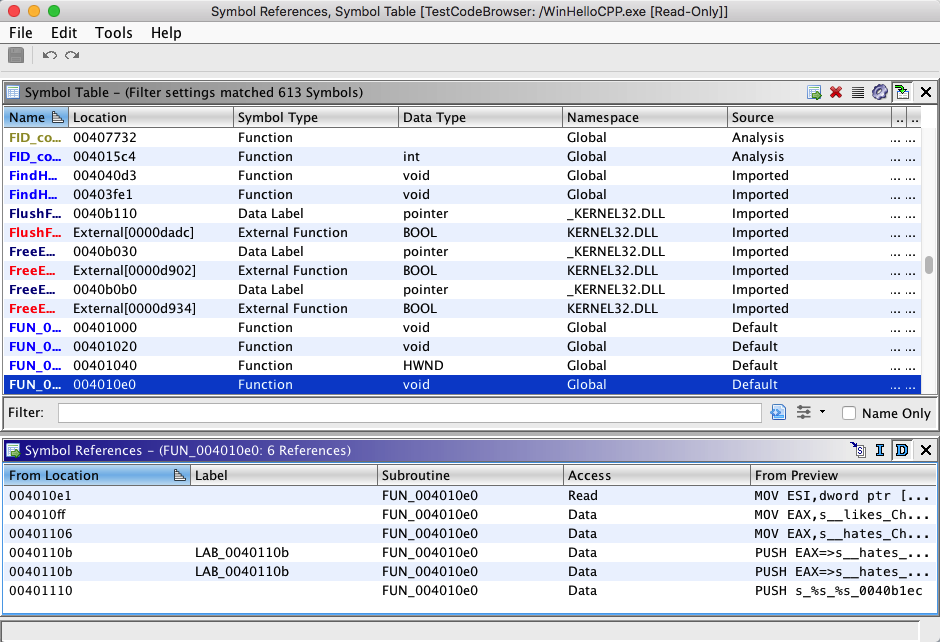
If the selected symbol corresponds to an entry point of a subroutine or function, all data references from the corresponding subroutine/function will be displayed. If the selected symbol is not a subroutine/function entry point, the list will be empty. The following data columns are displayed in the References table:
*Address -* the address which corresponds to the instruction within the subroutine/function which is the source of the reference. Clicking on this address will generate a location event and cause the tool (e.g., Code Browser) to re-position to this address.
*Label -* displays the name of the primary symbol at the from address of the reference to the selected symbol. Clicking on this name will generate a location event and cause the tool (e.g., Code Browser) to re-position to the corresponding label.
*Subroutine* - displays the name of the subroutine/function containing the from address of the reference to the selected symbol. Clicking on this name will generate a location event and cause the tool (e.g., Code Browser) to re-position to the corresponding subroutine/function.
*Access -* indicates the data type.
*Preview -* preview of the instruction or data located at Address which is the source of the reference.
Delete Reference  

This action will delete all selected references from the database.
Provided by: Symbol Table Plugin
Related Topics: